---
title: "Moving Issue Triage into CI: Running a Flue Workflow from GitHub Actions"
description: "A verification log of dry-running a GitHub Issue triage workflow built with Flue 1.0 Beta from GitHub Actions' issues.opened, instead of a persistent webhook server."
lang: "en"
canonical: "https://llm-lab.dev/en/posts/flue-github-actions-issue-triage-workflow/"
source: "https://llm-lab.dev/en/posts/flue-github-actions-issue-triage-workflow.md"
publishedAt: "2026-06-20"
updatedAt: "2026-06-20"
category: "Flue"
tags:
- "flue"
- "agent"
- "github-actions"
- "workflow"
- "ci"
---
# Moving Issue Triage into CI: Running a Flue Workflow from GitHub Actions
import LinkCard from "../../components/LinkCard.astro";
In the previous post, I built a workflow with Flue 1.0 Beta that takes a GitHub Issue title and body, then returns structured severity, reproducibility, label suggestions, and a summary.
Last time, I confirmed that I could read a real issue via the GitHub CLI and pass it to `flue run triage-issue`. This post continues from there: I set up the same Flue workflow to run as a dry-run on CI, triggered by GitHub Actions' `issues.opened`.
I haven't wired it up to post comments or apply labels yet. For now it only prints the classification results to the Actions log. The reason is that I don't want to hand broad GitHub permissions to an agent that reads untrusted issue bodies from the start.
In this experiment, I reused the triage workflow from the previous post as-is and only added an entrypoint for calling it from GitHub Actions. If you're trying to reproduce this, it's easier to verify that the workflow works locally first, then layer on the CI-specific changes.
## Why move it to GitHub Actions
There are several ways to run an agent from a GitHub Issue.
- Build a persistent server that receives webhooks
- Build a GitHub App
- Catch `issues.opened` with GitHub Actions
- Read the issue manually with the GitHub CLI and run it locally
If you're only thinking about production, a GitHub App or webhook server can be the natural choice. But at this stage I only wanted to confirm that the issue body could be passed to the workflow and classified. So I avoided building an externally exposed server and moved the execution to GitHub Actions' disposable runners instead.
Issue bodies are text that anyone can write. They may contain prompt-injection-like text, overly long logs, internal URLs, or information close to personal data. Giving an agent that reads this input immediate permissions to post comments or update labels would make the blast radius too wide for an experimental stage.
For now, the workflow only outputs structured results to the Actions log.
## Creating the Actions entrypoint
In the previous CLI integration, I read the issue with `gh issue view`, built a payload, and passed it to `flue run`. In GitHub Actions, the event payload is placed as a JSON file at `GITHUB_EVENT_PATH`. So I added a script that reads the issue information from the Actions event and feeds it to the same `triage-issue` workflow.
```js
import { readFileSync } from 'node:fs';
import { spawnSync } from 'node:child_process';
function readGitHubEvent() {
const eventPath = process.env.GITHUB_EVENT_PATH;
if (!eventPath) {
return undefined;
}
return JSON.parse(readFileSync(eventPath, 'utf8'));
}
const event = readGitHubEvent();
const issue = event?.issue;
const title = issue?.title ?? process.env.ISSUE_TITLE;
const body = issue?.body ?? process.env.ISSUE_BODY ?? '';
const number = issue?.number ?? Number(process.env.ISSUE_NUMBER ?? 0);
const url = issue?.html_url ?? process.env.ISSUE_URL;
const repo = process.env.GITHUB_REPOSITORY ?? process.env.ISSUE_REPOSITORY;
if (!title) {
console.error('Missing issue title. Provide GITHUB_EVENT_PATH or ISSUE_TITLE.');
process.exit(1);
}
const payload = JSON.stringify({
title,
body,
source: {
repo,
number,
url,
},
});
const result = spawnSync(
'npx',
['flue', 'run', 'triage-issue', '--target', 'node', '--payload', payload],
{ stdio: 'inherit' },
);
process.exit(result.status ?? 1);
```
When `GITHUB_EVENT_PATH` is present, it reads the Actions event payload. When testing locally, you can pass `ISSUE_TITLE` and `ISSUE_BODY` as environment variables. This lets you verify the CI entrypoint with the same script on your local machine.
I added the following script to `package.json`:
```json
{
"scripts": {
"triage:event": "node scripts/triage-github-event.mjs"
}
}
```
## Writing the workflow
The GitHub Actions side is simple: it starts on `issues.opened`, installs dependencies, and runs `npm run triage:event`.
```yaml
name: Triage issue with Flue
on:
issues:
types: [opened]
workflow_dispatch:
inputs:
issue_title:
description: Issue title for manual dry-run
required: true
type: string
issue_body:
description: Issue body for manual dry-run
required: false
type: string
permissions:
contents: read
issues: read
jobs:
triage:
runs-on: ubuntu-latest
steps:
- uses: actions/checkout@v4
- uses: actions/setup-node@v4
with:
node-version: 22
cache: npm
- run: npm ci
- name: Run Flue issue triage
env:
OPENAI_COMPAT_API_KEY: ${{ secrets.OPENAI_COMPAT_API_KEY }}
OPENAI_COMPAT_BASE_URL: ${{ secrets.OPENAI_COMPAT_BASE_URL }}
FLUE_MODEL: ${{ vars.FLUE_MODEL || 'openai/preview/Kimi-K2.6' }}
ISSUE_TITLE: ${{ inputs.issue_title }}
ISSUE_BODY: ${{ inputs.issue_body }}
run: npm run triage:event
```
Adding `workflow_dispatch` lets you dry-run manually without creating an issue. When triggered by `issues.opened`, the issue is read from `GITHUB_EVENT_PATH`. For manual runs, `inputs.issue_title` and `inputs.issue_body` are passed as environment variables.
The only permissions needed here are `contents: read` and `issues: read`. Since it doesn't write comments or labels back yet, I haven't added `issues: write`.
## Making GitHub Actions recognize it
I hit a snag here. Pushing `.github/workflows/triage-issue.yml` to a feature branch alone didn't make the workflow appear in the GitHub Actions tab.
`workflow_dispatch` for manual execution generally requires the workflow file to exist on the default branch. When you create a workflow on a feature branch like I did, you first need to open a Pull Request and merge it into the default branch.
Before the merge, the Actions tab showed an initial screen like this:
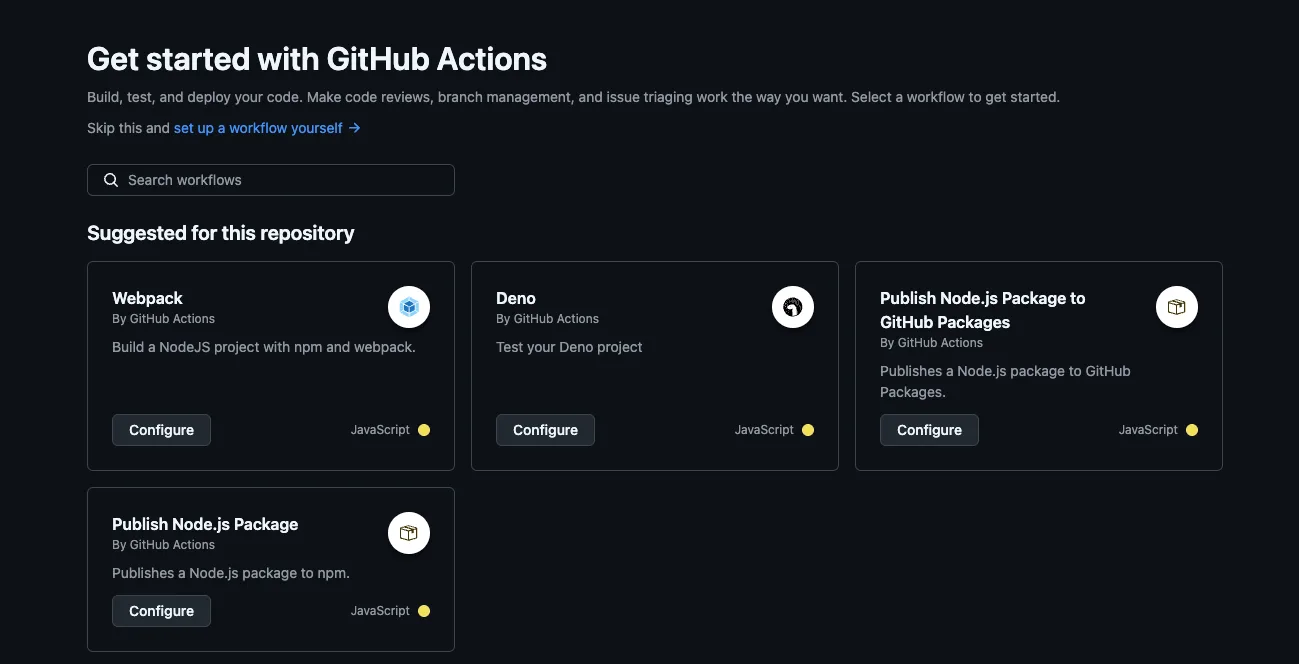
{/* screenshot: GitHubリポジトリのActionsタブ。中央に「Get started with GitHub Actions」と表示され、まだTriage issue with Flue workflowが左側に出ていない状態を撮る。リポジトリ名とブランチ名が分かる範囲を含める。Secrets値や個人通知は写さない。 */}
```txt
Get started with GitHub Actions
Build, test, and deploy your code. Make code reviews, branch management, and issue triaging work the way you want. Select a workflow to get started.
```
After merging the PR, the display changed to this:
{/* screenshot: Actionsタブ左側に「Triage issue with Flue」が表示され、メイン領域に「There are no workflow runs yet.」が出ている状態を撮る。workflowが認識されたことが分かるように左ナビとメイン領域を含める。 */}
```txt
There are no workflow runs yet.
```
The workflow is recognized but hasn't run yet. If you see `Triage issue with Flue` on the left, you can select it and run it manually via `Run workflow`.
For the manual run, I entered the following values:
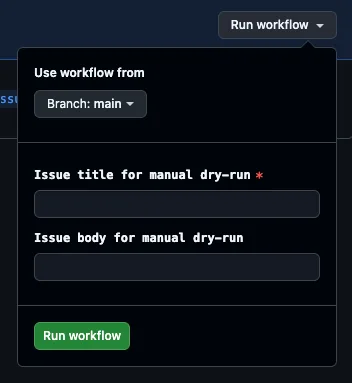
{/* screenshot: Triage issue with FlueのRun workflowドロップダウンを開き、branch、issue_title、issue_bodyの入力欄が見えている状態を撮る。issue_titleにはDashboard is blank after login、issue_bodyには検証用本文を入れる。Secrets画面は撮らない。 */}
```txt
issue_title:
Dashboard is blank after login
issue_body:
Steps: log in, open /dashboard. Expected widgets. Actual blank white screen in Chrome 126.
```
Before running, I set `OPENAI_COMPAT_API_KEY` and `OPENAI_COMPAT_BASE_URL` as repository secrets. `FLUE_MODEL` can be set as a repository variable; if not set, the workflow defaults to `openai/preview/Kimi-K2.6`.
## Running the same entrypoint locally
Before pushing to Actions, I ran `triage:event` locally.
```sh
ISSUE_TITLE="Dashboard is blank after login" \
ISSUE_BODY="Steps: log in, open /dashboard. Expected widgets. Actual blank white screen in Chrome 126." \
npm run triage:event
```
When written directly before the command like above, `ISSUE_TITLE` and `ISSUE_BODY` are passed as environment variables for that command. If you set them on separate lines beforehand, you need `export` to make them environment variables passed to child processes, not just shell variables.
```sh
export ISSUE_TITLE="Dashboard is blank after login"
export ISSUE_BODY="Steps: log in, open /dashboard. Expected widgets. Actual blank white screen in Chrome 126."
npm run triage:event
```
I first ran this in a network-restricted environment, so the workflow failed to connect to the model API after starting.
```txt
Error: Workflow failed: [internal_error] prompt failed: Connection error.
prompt failed: Connection error.
```
This wasn't specific to the `triage:event` script I added. Running the existing `npm run triage` in the same environment produced the same connection error. In other words, it wasn't a payload generation or script problem; it was a model API connectivity issue.
After allowing network access and rerunning, `triage:event` launched `flue run`, which completed from skill activation through `finish`.
```txt
▗ flue run
▚ workflow triage-issue
▘ starting...
run run_...
tool activate_skill
tool done activate_skill (547 chars)
tool finish
tool done finish
{
"severity": "high",
"reproducible": true,
"labels": [
"bug",
"dashboard",
"frontend"
],
"summary": "ログイン後に `/dashboard` を開くと、Chrome 126 で期待されるウィジェットが表示されず、空白の白画面が表示される問題です。再現手順が明確に示されており、主要機能であるダッシュボードが利用不可となっています。"
}
done workflow completed
```
This confirmed that the Actions entrypoint could pass a payload to the existing `triage-issue` workflow.
## Running it on Actions
Finally, I ran it manually on GitHub Actions with the same input. The logs showed `npm run triage:event` launching `flue run`, proceeding from `activate_skill` through `finish`.
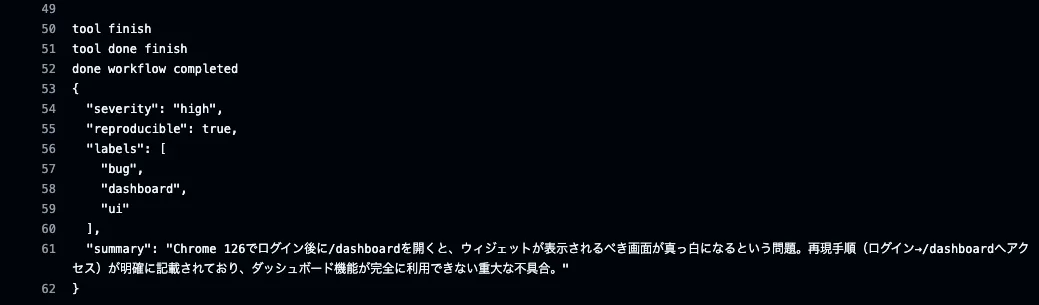
{/* screenshot: GitHub Actionsの実行ログで「Run npm run triage:event」ステップを開き、run_...、tool activate_skill、tool finish、severity/reproducible/labels/summaryを含むJSON、done workflow completedが見える位置を撮る。APIキーやSecretsは写さない。 */}
```txt
Run npm run triage:event
> flue@1.0.0 triage:event
> node scripts/triage-github-event.mjs
▗ flue run
▚ workflow triage-issue
▘ starting...
run run_...
tool activate_skill
tool done activate_skill (547 chars)
tool finish
tool done finish
done workflow completed
{
"severity": "high",
"reproducible": true,
"labels": [
"bug",
"dashboard",
"ui"
],
"summary": "Chrome 126でログイン後に/dashboardを開くと、ウィジェットが表示されるべき画面が真っ白になるという問題。再現手順(ログイン→/dashboardへアクセス)が明確に記載されており、ダッシュボード機能が完全に利用できない重大な不具合。"
}
```
The label suggestions differed slightly from the local run, but since it returned structured results containing `severity`, `reproducible`, `labels`, and `summary`, I could confirm that calling the Flue workflow from Actions works.
At this point, the next thing you want to do is post a comment back to the issue. But I still want to keep that separate.
Writing comments to issues requires `issues: write` permission. Beyond that, operational questions arise: avoiding duplicate comments, preventing the same comment from being added on re-runs, checking for existing labels, and not creating labels arbitrarily.
A dry-run that only outputs classification results and a process that causes side effects on GitHub are separate stages. This Actions integration was only about verifying that the Flue workflow could be called from an issue creation event without a persistent server.
## Summary
As a first step for running a Flue agent from a GitHub Issue, GitHub Actions proved to be a very approachable entrypoint. Without setting up a webhook server, you can use the `issues.opened` payload as-is and pass it to `flue run triage-issue`.
On the other hand, just because it runs on Actions doesn't mean you should rush to write back to GitHub. When reading untrusted issue bodies, it's better to first run a dry-run that outputs structured results to the log, verifying model API connectivity, skill execution, reaching `finish`, and output schema stability.
Flue workflows are easy to place in CI as one-off processes. Being able to narrow down the input and output boundaries on CI before building a persistent agent is quite helpful for external-input handling like issue triage.
The next question is how to trace workflows that ran on CI or locally later. I covered verifying how to send `run_...`, model names, success/failure, and structured output to Langfuse in another post.